When it comes to reducing eye strain, proper lighting is crucial. The right lighting can make a significant difference in how your eyes feel after a long day of work or screen time. Ideally, you want to strike a balance between natural and artificial light. Natural light is often the best option, as it reduces glare and provides a more comfortable viewing experience. Position your workspace near a window if possible, but be mindful of direct sunlight that can create harsh reflections on your screen.
If natural light isn’t an option, consider using soft, diffused lighting. Overhead fluorescent lights can be harsh and contribute to eye fatigue. Instead, opt for desk lamps with adjustable brightness and color temperature. Warmer light tones are generally easier on the eyes, especially in the evening. Additionally, avoid working in dimly lit environments, as this can force your eyes to work harder, leading to discomfort and fatigue.
Ergonomic Workspace Setup
An ergonomic workspace setup is essential for maintaining comfort and reducing strain on your eyes and body. Start by ensuring that your monitor is at eye level. This means the top of the screen should be at or just below eye level, allowing you to look straight ahead rather than tilting your head up or down. The distance between your eyes and the screen should be about an arm’s length away, which helps minimize strain.
Your chair and desk height also play a significant role in your overall comfort. A chair that supports your lower back and allows your feet to rest flat on the floor can help maintain good posture. If your chair is too high or too low, it can lead to awkward angles that strain not just your eyes but also your neck and back. Consider using a footrest if needed, and make sure your keyboard and mouse are positioned so that your wrists remain straight while typing.
Regular Breaks
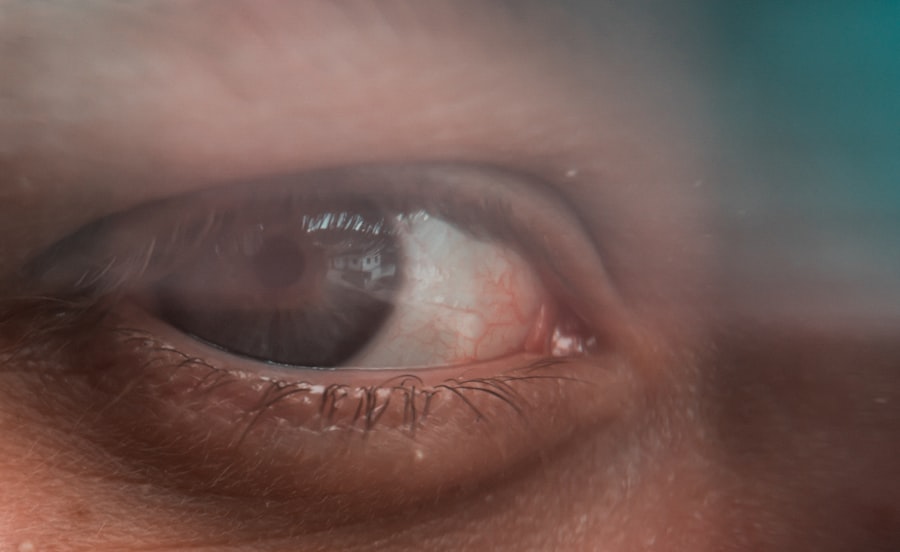
Taking regular breaks is one of the simplest yet most effective ways to combat eye strain. The 20-20-20 rule is a popular guideline: every 20 minutes, take a 20-second break to look at something 20 feet away. This practice helps relax the eye muscles and reduces fatigue from prolonged screen time. It’s easy to get caught up in work and forget to take breaks, so setting a timer or using an app can be helpful reminders.
In addition to the 20-20-20 rule, consider incorporating longer breaks into your routine. Stand up, stretch, or take a short walk every hour. This not only gives your eyes a rest but also promotes better circulation and reduces the risk of stiffness in your body. Engaging in different activities during these breaks can refresh your mind and improve overall productivity when you return to work.
Use of Blue Light Filters
Blue light emitted from screens can contribute to eye strain and disrupt sleep patterns. Many devices now come with built-in blue light filters that can be activated during evening hours or throughout the day. These filters reduce the amount of blue light reaching your eyes, making it easier on them during extended use.
If your device doesn’t have this feature, consider using blue light blocking glasses. These glasses are designed to filter out blue light and can be worn while working on screens or even while watching TV. While the scientific community continues to study the long-term effects of blue light exposure, many people report feeling less fatigued when using these filters regularly.
Adjusting Screen Settings
| Tip | Description |
|---|---|
| Adjust your screen | Position your screen about an arm’s length away, with the top of the screen at or just below eye level. |
| Take regular breaks | Follow the 20-20-20 rule: every 20 minutes, look at something 20 feet away for at least 20 seconds. |
| Use proper lighting | Avoid glare on your screen by positioning your monitor away from windows and using curtains or blinds to reduce natural light. |
| Adjust font size and contrast | Enlarge text and adjust contrast to make it easier to read without straining your eyes. |
| Blink more often | Remember to blink regularly to keep your eyes moist and reduce dryness. |
Adjusting your screen settings can significantly impact how comfortable you feel while working. Start by adjusting the brightness of your screen to match the ambient lighting in your workspace. If your screen is much brighter than the surrounding area, it can cause glare and strain. Conversely, if it’s too dim, you may find yourself squinting, which can also lead to discomfort.
Additionally, consider increasing the text size on your screen if you find yourself leaning in or straining to read small fonts. Most operating systems allow you to zoom in on text or adjust display settings for better visibility. Experimenting with contrast settings can also help; higher contrast between text and background can make reading easier on the eyes.
Eye Exercises
Incorporating eye exercises into your daily routine can help alleviate strain and improve overall eye health. Simple exercises like rolling your eyes or focusing on a distant object for a few seconds can provide relief from prolonged screen time. One effective exercise involves holding a finger about 10 inches from your face and focusing on it for a few seconds before shifting your gaze to something further away.
Another beneficial exercise is the “palm” technique: rub your hands together to generate warmth, then gently cup them over your closed eyes for a minute or two. This not only relaxes the eye muscles but also provides a soothing break from screen exposure. Regularly practicing these exercises can help keep your eyes feeling fresh and reduce fatigue over time.
Blinking Regularly
Blinking is an automatic response that many people overlook, especially when focused on screens. When we stare at digital devices, our blink rate tends to decrease significantly, leading to dryness and discomfort. Making a conscious effort to blink more often can help keep your eyes moist and reduce irritation.
To remind yourself to blink regularly, try setting small reminders throughout the day or incorporating blinking into your eye exercises. For instance, every time you take a break or switch tasks, take a moment to blink deliberately several times before returning to work. This simple action can make a noticeable difference in how comfortable your eyes feel during long periods of screen time.
Regular Eye Exams
Finally, one of the most important steps in maintaining eye health is scheduling regular eye exams with an optometrist or ophthalmologist. These professionals can assess your vision and overall eye health, providing valuable insights into any potential issues that may arise from prolonged screen use. They can also recommend specific solutions tailored to your needs, such as prescription glasses for computer use or specialized lenses.
Regular eye exams are particularly important if you notice any changes in your vision or experience persistent discomfort. Early detection of issues like digital eye strain or other conditions can lead to more effective treatment options and help prevent further complications down the line. Making eye exams a part of your routine healthcare can ensure that you’re taking proactive steps toward maintaining good vision as you navigate an increasingly digital world.
In conclusion, taking care of your eyes in today’s screen-centric environment requires a combination of practical strategies and regular self-care practices. From ensuring proper lighting and ergonomic setups to incorporating breaks and exercises into your routine, there are many ways to reduce eye strain effectively. By being mindful of how you interact with screens and prioritizing regular eye exams, you can maintain healthy vision for years to come.
FAQs
What is eye strain?
Eye strain, also known as asthenopia, is a condition characterized by discomfort or pain in the eyes, often caused by prolonged periods of focusing on a screen or other close-up work.
What are the symptoms of eye strain?
Symptoms of eye strain can include headaches, blurred vision, dry eyes, difficulty focusing, and increased sensitivity to light.
How can I prevent eye strain at work?
To prevent eye strain at work, you can take regular breaks to rest your eyes, adjust your workstation to reduce glare and eye strain, use proper lighting, and practice the 20-20-20 rule (every 20 minutes, look at something 20 feet away for 20 seconds).
What are some ergonomic tips for preventing eye strain at work?
Ergonomic tips for preventing eye strain at work include positioning your computer screen at eye level, maintaining a comfortable viewing distance from the screen, and using an adjustable chair and keyboard to maintain proper posture.
When should I see a doctor for eye strain?
If you experience persistent or severe eye strain, or if your symptoms worsen despite taking preventive measures, it’s important to see an eye doctor for a comprehensive eye exam and personalized recommendations for managing your eye strain.